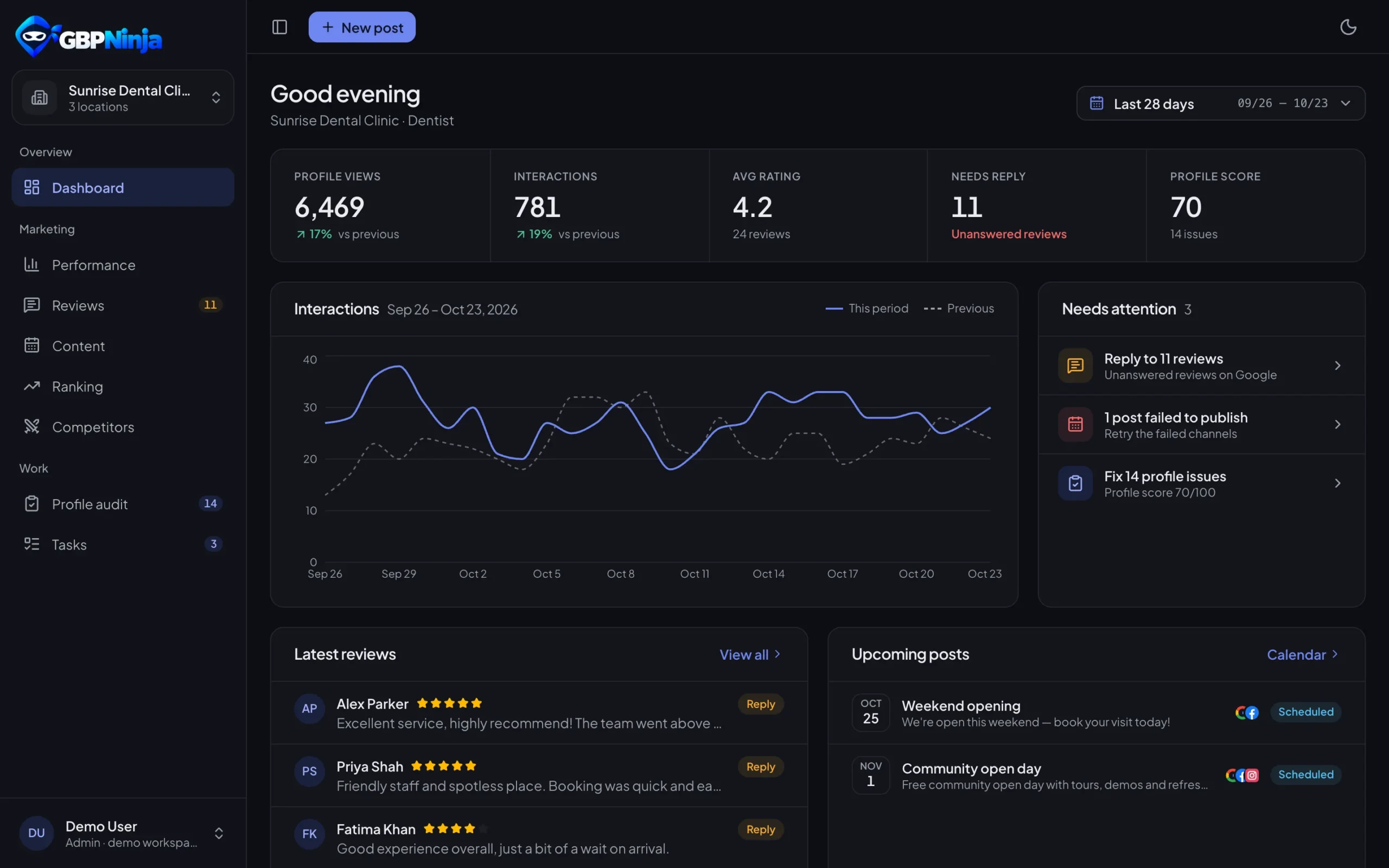
Google Business Profile Management for agencies and multi-location brands
Run every client’s or location’s profile from one account. Invite your team, give each person the locations they work on, and connect each account once for everyone.
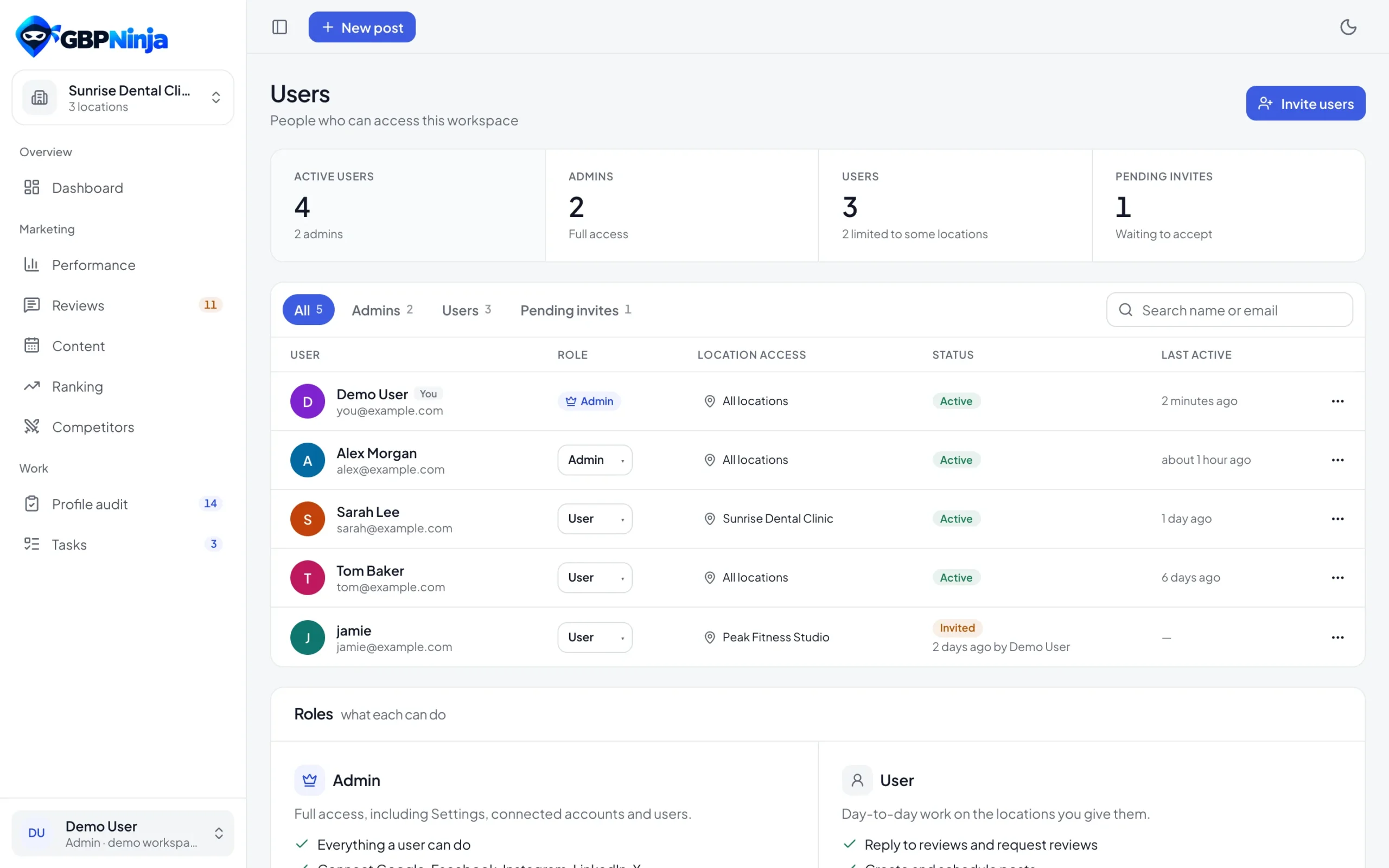
- Admins and members with access per location
- Invites sent from your own Gmail
- Accounts connected once, shared by the team
for every teammate
roles: admin and member
access for members
platforms in one place
How to manage Google Business Profiles as a team
Set up your agency or multi-location workspace in three steps.
Connect your Google Business Profiles
Sign up free, connect Google and pick every profile you manage. Add Facebook, Instagram, LinkedIn, Search Console and Gmail if you use them.
Invite your team
Invite teammates by email as admins or members. Invites go out from your connected Gmail with a one-click join link.
Give each person their locations
Members only see the locations you assign. Admins see everything and manage settings and people.
The right access for every teammate
Admins manage connections, settings and people. Members work on the locations you give them, so a client’s profile is only seen by the people working on it.
- Admin and member roles
- Access limited per location
- Email invites with a join link
- The last admin can't be removed by accident
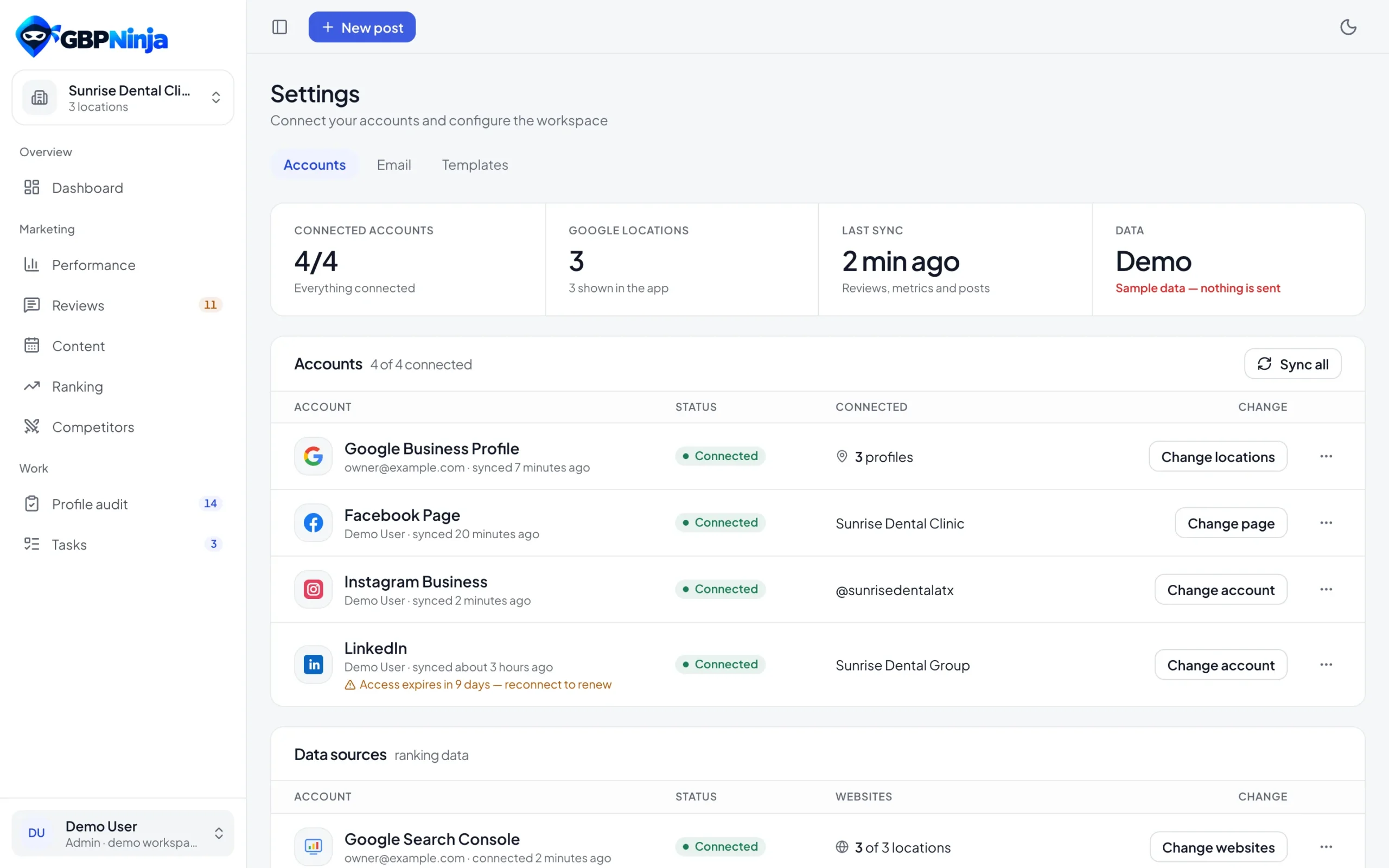
Connect each account once, for the whole team
Google Business Profile, Facebook Pages, Instagram, LinkedIn, Search Console and Gmail are connected once. Everyone on the team uses them, and you can see who connected each one and remove access at any time.
- Six platforms in one place
- Shows who connected each account
- Remove access any time
- Official sign-in for every network
Every location together, or one at a time
Built for agencies managing many clients and brands with many locations.
GMB management for agencies, without per-seat pricing
Agency tools often charge per location or per user. GBPNinja’s Google Business Profile management for agencies is free for your whole team: reviews, posts, insights, audits, competitors and tasks for every location you manage.
Whether you call it GMB management for agencies or multi-location Google Business Profile management, it’s one account, your team, and the access each person needs.
Agency and team questions
Something else? Email support@gbpninja.com or read the help center.
Can an agency manage client profiles with GBPNinja?
Yes. Connect the Google account that manages your clients’ profiles, pick the profiles, and invite your team. Give each teammate the client locations they work on.
What's the difference between admins and members?
Admins can do everything, including settings, connections and people. Members work on the locations assigned to them.
How do invites work?
Enter a teammate’s email and role. The invite is sent from your connected Gmail with a Join workspace button; without Gmail you can copy the invite link.
Does everyone need to connect their own Google account?
No. Accounts are connected once by an admin and shared by the team. Everyone signs in to GBPNinja with their own login.
Can I see all locations together?
Yes. Reviews, performance and posts work for one location, several or all of them.
Is it free for teams?
Yes. GBPNinja is free for every teammate and every location, with no credit card.
Bring your whole team into one workspace
Free Google Business Profile management for agencies. No credit card, set up in minutes.