
GMB Competitor Analysis Tool to see how you stack up nearby
Add the businesses you compete with from their Google Maps link. GBPNinja compares their rating, reviews and categories with yours, and checks them every day.
- Rating and review gaps at a glance
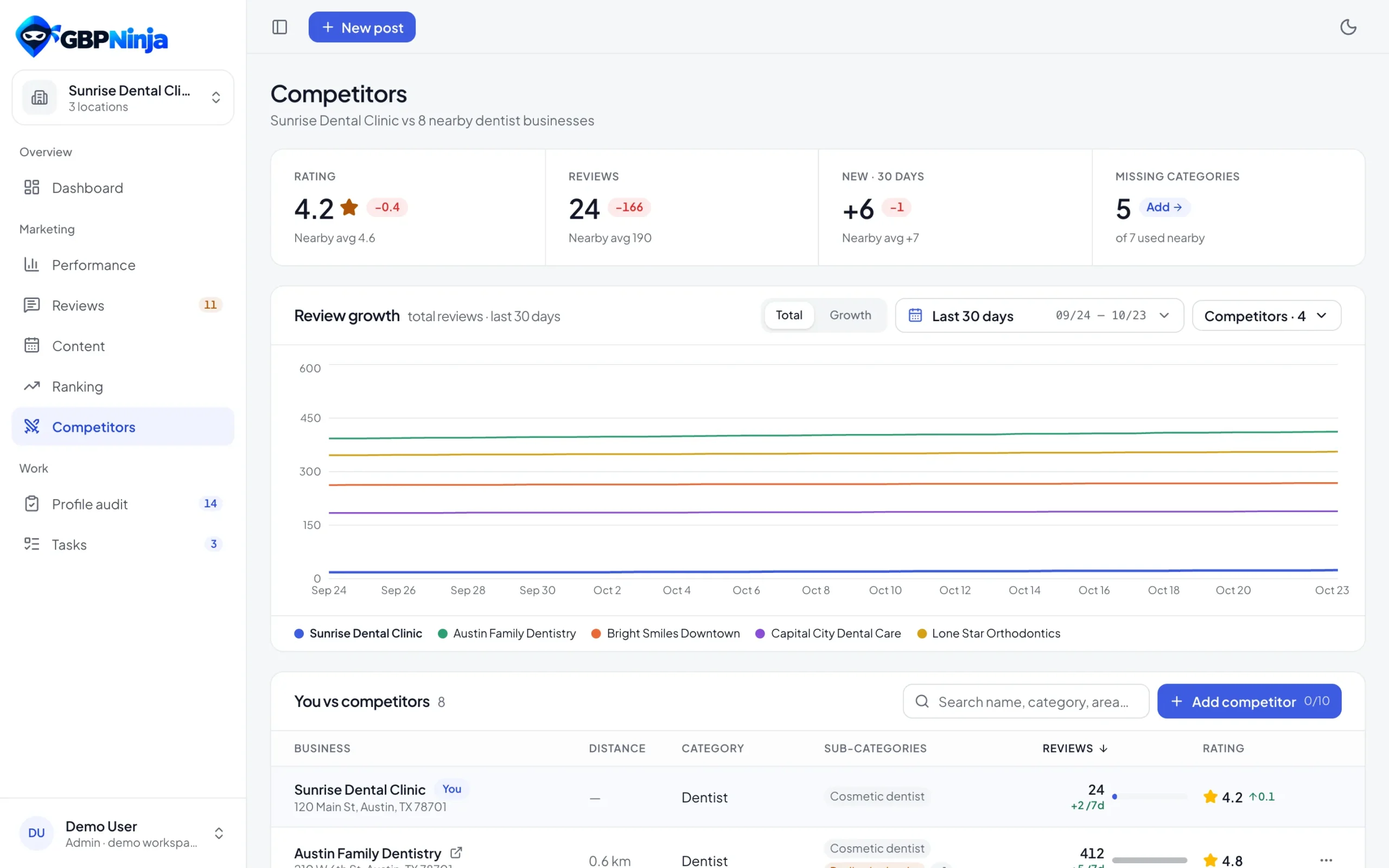
- Review growth chart for up to 8 businesses
- Categories they use that you don't
competitor tracking
competitors per business
rating and review checks
businesses on one chart
How to analyze your Google Business Profile competitors
Set up your Google Business Profile competitor analysis once, then let it update itself.
Connect your Google Business Profile
Sign up free and connect Google. Your own rating and reviews are the starting point.
Paste a competitor's Google Maps link
Copy the link from Google Maps and paste it in. GBPNinja fills in the name, categories, rating, reviews and website when Maps shows them. Check them and save.
Watch the gaps every day
Ratings and review counts are checked daily, so you see who’s gaining reviews and how far ahead or behind you are.
Compare ratings, reviews and categories side by side
Your profile stays pinned at the top of the table, with each competitor below: rating, review count, how many reviews they gained this week, how their rating moved this month, distance and categories.
- Your profile pinned on top
- Review change over 7 days
- Rating change over 30 days
- Distance, categories and website
See who's winning the review race
A chart of review counts over time for you and the competitors you pick, so a competitor’s sudden jump never surprises you.
Find the categories competitors rank with
Categories decide which searches your profile appears in. See the ones nearby competitors use and add any you’re missing.
Local competitor analysis without spreadsheets
Checking competitors by hand means opening Google Maps for each one and writing numbers into a sheet. GBPNinja’s GMB competitor analysis tool does it for you every day and keeps the history, so you can see trends instead of snapshots.
It’s a free Google Business Profile competitor analysis for every location you manage: track up to 10 competitors per business, compare reviews and ratings, and close the category gaps.
Competitor analysis questions
Something else? Email support@gbpninja.com or read the help center.
What is a GMB competitor analysis?
It compares your Google Business Profile with the businesses you compete with nearby: rating, number of reviews, how fast they get new reviews and which categories they use.
How do I add a competitor?
Open the competitor on Google Maps, copy the link and paste it into GBPNinja. The details are filled in when Maps shows them; check them, edit if needed, and save.
How many competitors can I track?
Up to 10 per business. Remove one to add another.
How often is the data updated?
Every day. You can also run a check whenever you want with Check now.
Can I see review growth over time?
Yes. The review growth chart shows review counts over time for you and up to 8 businesses, as a total or as reviews gained in the range.
Does it change anything on my profile?
Only when you choose to. Adding a suggested category is one click, and you can undo it.
Is the competitor analysis tool free?
Yes. It’s free, with no trial and no credit card.
Know where you stand against nearby competitors
Free GMB competitor analysis. No credit card, set up in minutes.